Configure WorkBuddy
Connect WorkBuddy to SoleAPI through the OpenAI Chat Completions-compatible API.
Configure WorkBuddy
WorkBuddy compatibility is currently being tested. This page records the configuration method and model coverage that have been verified so far. Results may change as WorkBuddy or upstream model services are updated.
Only the OpenAI Chat Completions-compatible endpoint /v1/chat/completions has been verified so far. The providers currently tested successfully are xAI (Grok) and OpenAI (GPT). GLM, Qwen, DeepSeek, and MiniMax have not passed testing yet, so their availability cannot be guaranteed.
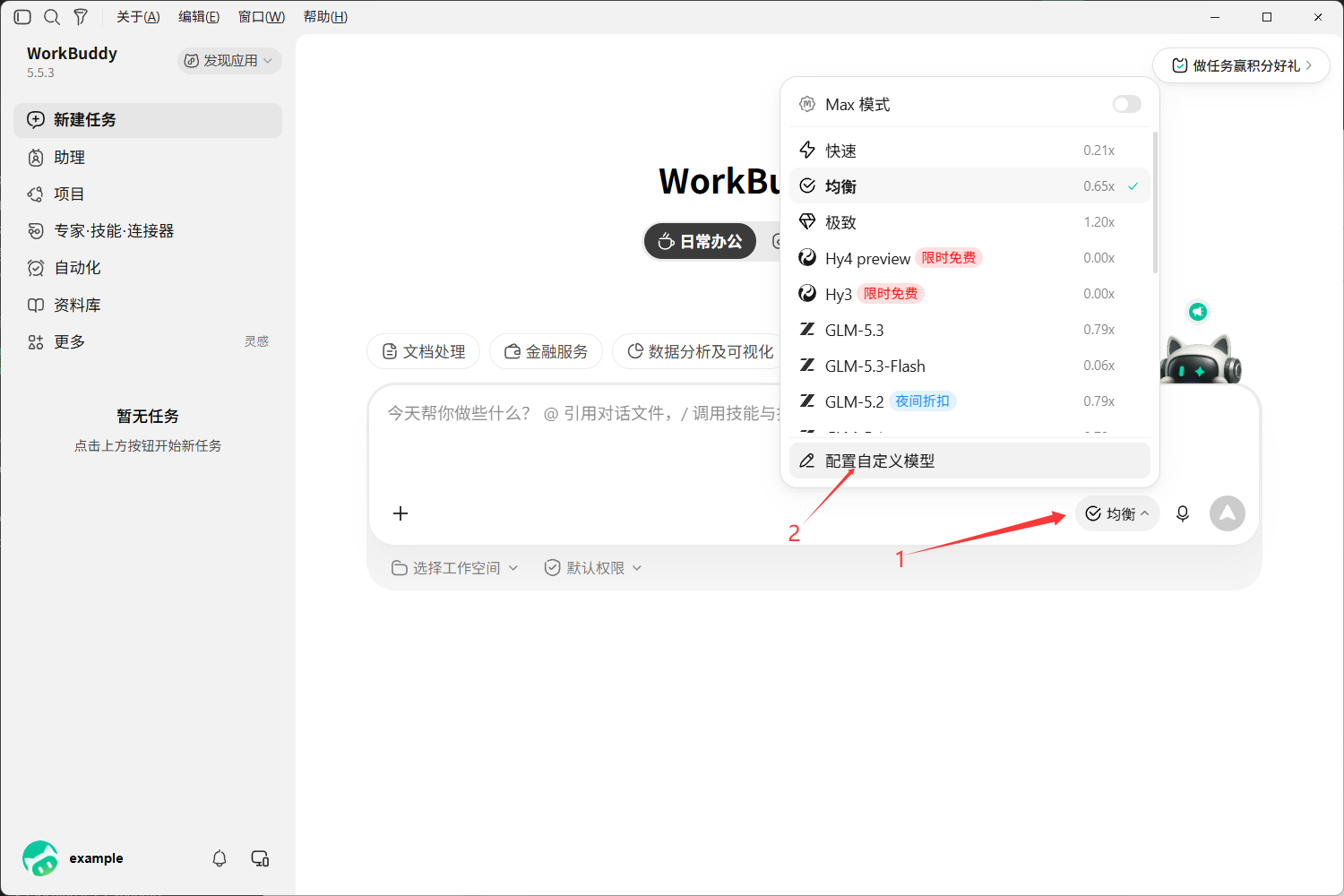
Open the add-model form
Open the add-model form in WorkBuddy. Menu names may differ between versions; follow the interface shown in your current client.
Enter the model configuration
-
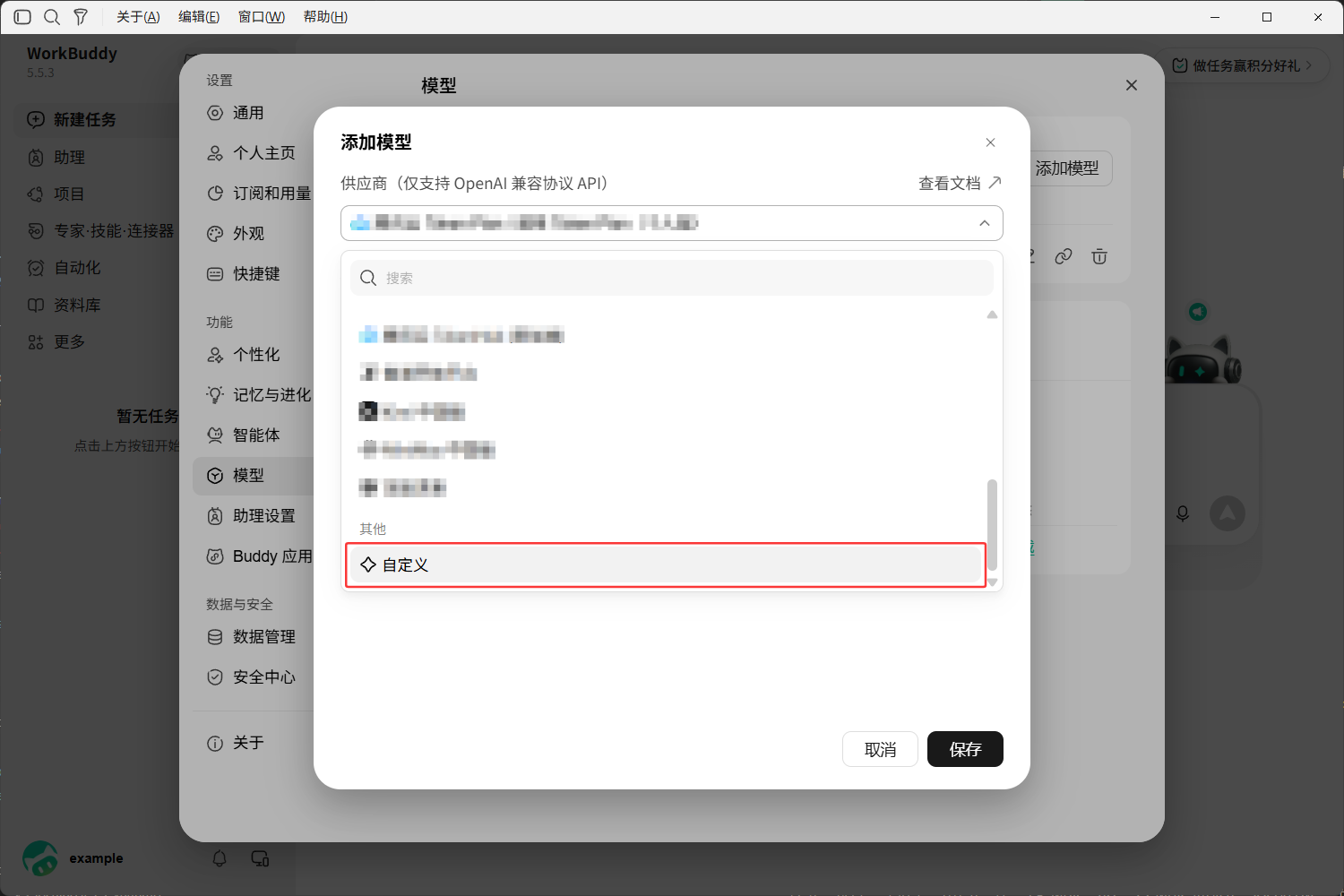
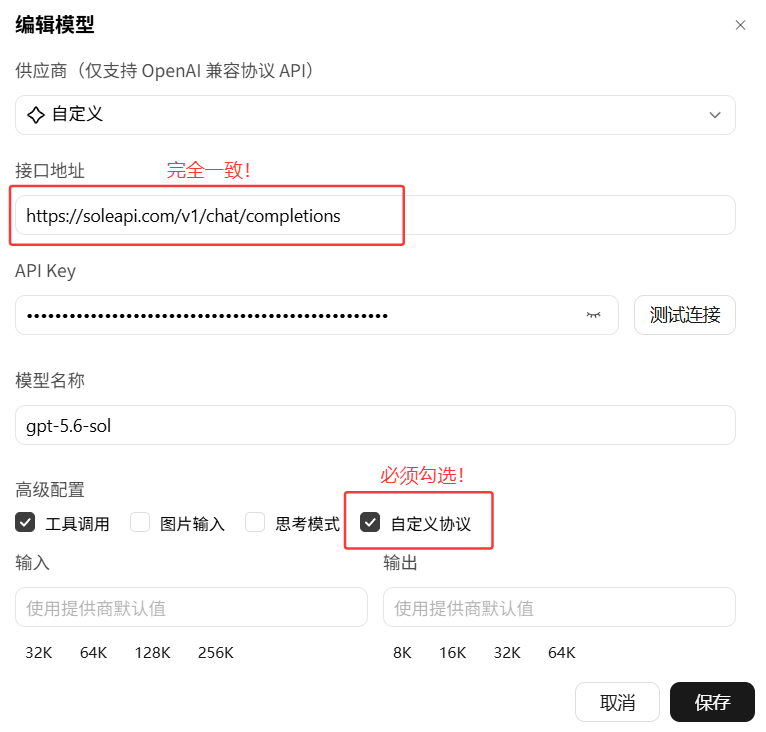
Provider: Select Custom.
-
Endpoint: Enter
https://soleapi.com/v1/chat/completions. -
API Key: Enter an API Key created in the SoleAPI console.
-
Model name: Go to the Model Hub and copy the model ID.
-
Advanced settings: You must select Custom Protocol. Configure the remaining options according to the model's capabilities.
Test and save
After completing the form, click Test connection and check whether a normal result is returned. After the test succeeds, click Save. The newly added model will then be available in the lower-right corner of the conversation window.
Current test results
| Provider | Result | Notes |
|---|---|---|
| xAI (Grok) | √ | Uses /v1/chat/completions |
| OpenAI (GPT) | √ | Uses /v1/chat/completions |
| GLM | × | Waiting for Completions-compatible support |
| Qwen | × | Waiting for Completions-compatible support |
| DeepSeek | × | Waiting for Completions-compatible support |
| MiniMax | × | Waiting for Completions-compatible support |
“Currently failed” only means that the WorkBuddy compatibility test has not passed at this time. It does not mean that these providers are unavailable through other SoleAPI protocols or clients. Do not infer that all Chinese models are unsupported; test results will be updated as testing continues.
Frequently asked questions
- The request returns 404 or says that the endpoint does not exist: Confirm that the endpoint is
https://soleapi.com/v1/chat/completions. - The request returns 401: Check that the API Key is complete and has not been disabled or expired.
- The request returns 403: Check that the API Key includes the model group you are calling. If an IP allowlist is enabled, make sure your device IP is on the allowlist.
- The model does not exist or cannot be called: Check that the model name is an actual model ID available to this API Key, and confirm the dispatch-group permissions.
- The request still fails after selecting Custom Protocol: First retest with a verified Grok or GPT model to distinguish a WorkBuddy configuration issue from a model-specific compatibility issue.